Contents
- Introduction
- What is Azure Lighthouse?
- Prerequisites
- Support and Resources
- Objective
- Azure Portal Access
- Resources and Next Steps
Introduction
In a world where cyber threats are increasingly sophisticated and pervasive, managing security across multiple tenants can be a complex and daunting task. Azure Lighthouse provides a robust solution for this challenge, offering organisations and Managed Service Providers (MSPs) the capability to oversee and manage Sentinel workspaces across multiple tenants seamlessly.
What exactly is Azure Lighthouse, and how does it streamline the management of Sentinel workspaces in a multi-tenant environment? This blog will explore the key features and benefits of Azure Lighthouse, illustrating how it can be a crucial asset in your cybersecurity strategy. By enabling centralised visibility and control, Azure Lighthouse allows you to efficiently monitor, manage, and secure your organisations or your customers environments.
What is Azure Lighthouse?
Now that we’ve laid the foundation and understanding of Azure Lighthouse, it’s time to take the next step in our journey.
Azure Lighthouse works by providing a unified management experience across multiple tenants, allowing for centralised monitoring and control of Azure resources. With Azure Lighthouse, MSPs and organisations can onboard and manage multiple customer environments securely and efficiently. The platform utilises delegated resource management, which means that service providers can perform actions on the resources of multiple tenants without having to switch contexts. This is achieved through Azure delegated resource management capabilities, leveraging Azure RBAC (Role-Based Access Control) to grant appropriate levels of access.
In our upcoming blog post, “Microsoft Sentinel: Azure Lighthouse,” we will guide you through the practical steps of configuring Azure Lighthouse, accessing your Sentinel workspaces, and leveraging the centralised monitoring capabilities to enhance your organisation’s security posture.
Stay tuned for this exciting instalment as we dive into the hands-on aspects of Azure Lighthouse. Subscribe to our updates, and let’s continue our exploration of this innovative solution for multi-tenant security management!
Prerequisites:
- Azure Subscription: You must have an active Azure subscription for both the managing tenant (the MSP or central IT department) and the customer tenants (or other business units).
- Azure Active Directory (AAD): Ensure that Azure Active Directory is configured and operational for both the managing tenant and the customer tenants. Proper AAD setup is crucial for role-based access control and identity management.
- Appropriate Permissions: You need to have the necessary permissions to create and manage resources in the Azure portal. Specifically:
- For the managing tenant, you need the “Owner” or “User Access Administrator” role to onboard customer tenants.
- For customer tenants, you need to delegate specific roles to the managing tenant, such as “Microsoft Sentinel Contributor” or “Microsoft Sentinel Responder” depending on the required level of access.
- Resource Provider: Ensure that the relevant resource providers are registered in your Azure subscription. These typically include:
- Microsoft.ManagedServices
- Microsoft.Authorization
- Microsoft.OperationsManagement
Support and Resources:
In addition to the key resources already mentioned, there are several other avenues where users can find comprehensive support and valuable information regarding Microsoft Sentinel. These resources are essential for both beginners and experienced users looking to enhance their understanding and usage of the tool. Here’s a detailed overview:
Azure Lighthouse Documentation: The Azure Lighthouse documentation on Microsoft Learn is the primary source for official Azure Lighthouse information. It covers everything from basic setup and configuration to advanced features. This documentation is regularly updated and includes tutorials, quickstart guides, and detailed articles on specific functionalities.
Microsoft Sentinel Documentation: The Microsoft Sentinel documentation on Microsoft Learn is also a great source for everything Sentinel. It covers basic setup and configuration to advanced features. This documentation is regularly updated and includes tutorials, quickstart guides, and detailed articles on specific functionalities.
Microsoft Sentinel Community Hub: The Microsoft Sentinel Community Hub is a valuable resource for engaging with other Sentinel users and experts. Here, you can participate in discussions, ask questions, and share insights. The community is a great place to learn from real-world experiences and stay updated on best practices and new features.
Microsoft Sentinel Blog: The Microsoft Sentinel Blog on the Microsoft Community Hub is an excellent resource for staying informed about the latest updates, feature releases, and insights from the Sentinel team. It’s a platform where you can find in-depth articles, case studies, and announcements directly from Microsoft professionals.
By leveraging these resources, users can effectively enhance their skills, resolve challenges, and make the most out of their Microsoft Sentinel experience. Whether you’re looking for self-guided learning, community support, or professional assistance, these resources cover all bases for comprehensive support.
Objective
As the assigned Cyber Security Engineer, your goal is to efficiently manage our organisation’s Sentinel workspaces across multiple tenants using Azure Lighthouse. Follow these steps to achieve this objective:
Access Azure Lighthouse:
- Begin by accessing the Azure portal and navigate to Azure Lighthouse.
Onboard Customer Tenants:
- Onboard the customer tenants or alternate tenants in your organisation by creating and deploying a service provider offer. Ensure that the relevant resource providers are registered and appropriate permissions are granted.
Accept the Offer on the Customer tenant
- Access your customer or alternate tenant, accept the service provider offer.
Monitor Microsoft Sentinel using the joint incident view
- Access Microsoft Sentinel and use the joint incident view to monitor incidents across all tenants utilising Lighthouse.
Azure Portal Access
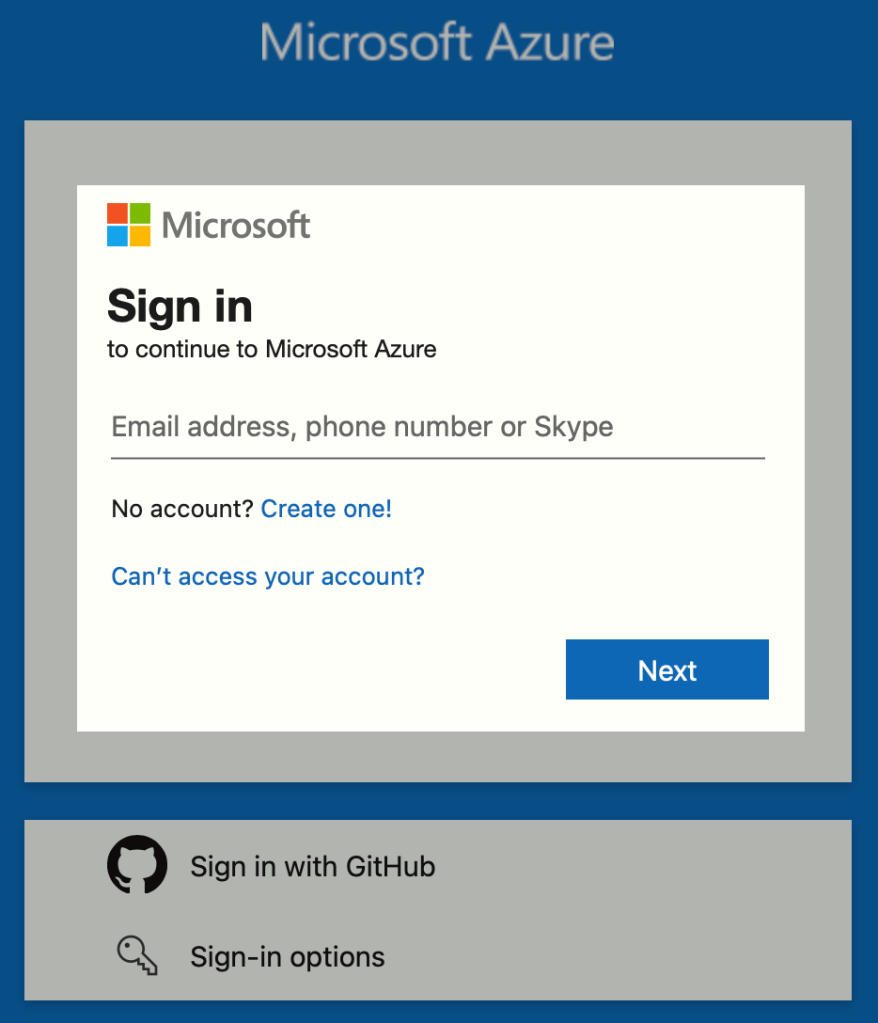
Firstly, we need to visit https://portal.azure.com. Sign in using your Administrative Credentials of the MSP or your primary tenant.
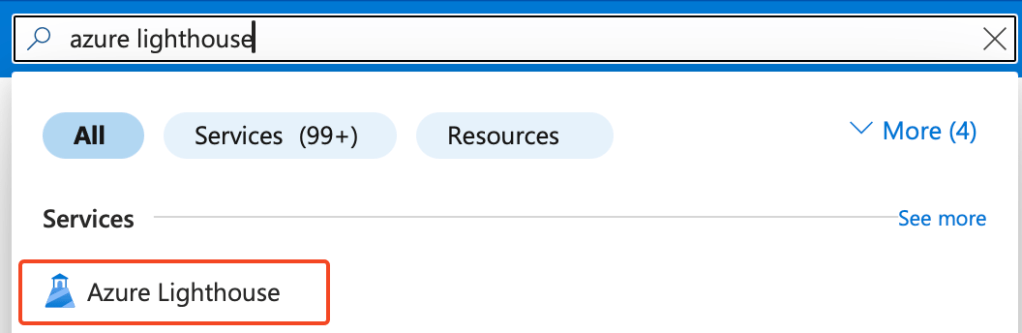
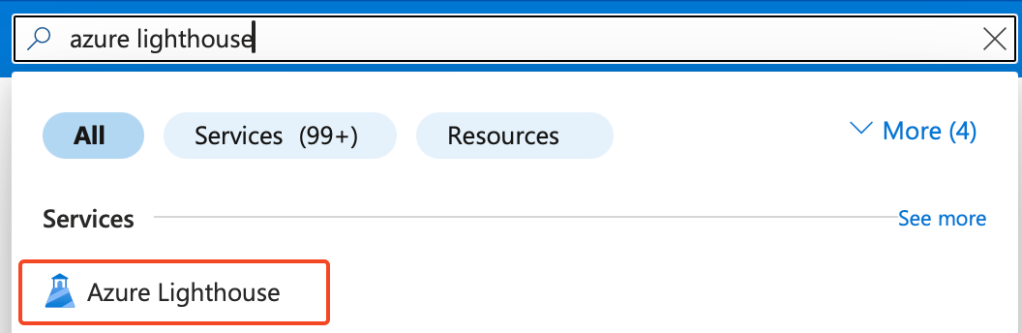
Search for ‘Azure Lighthouse’ in the search bar.
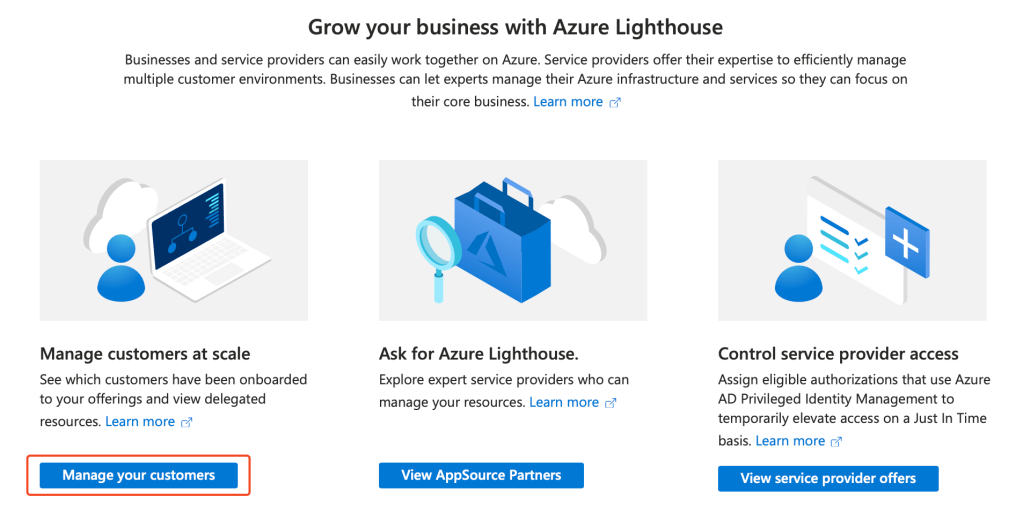
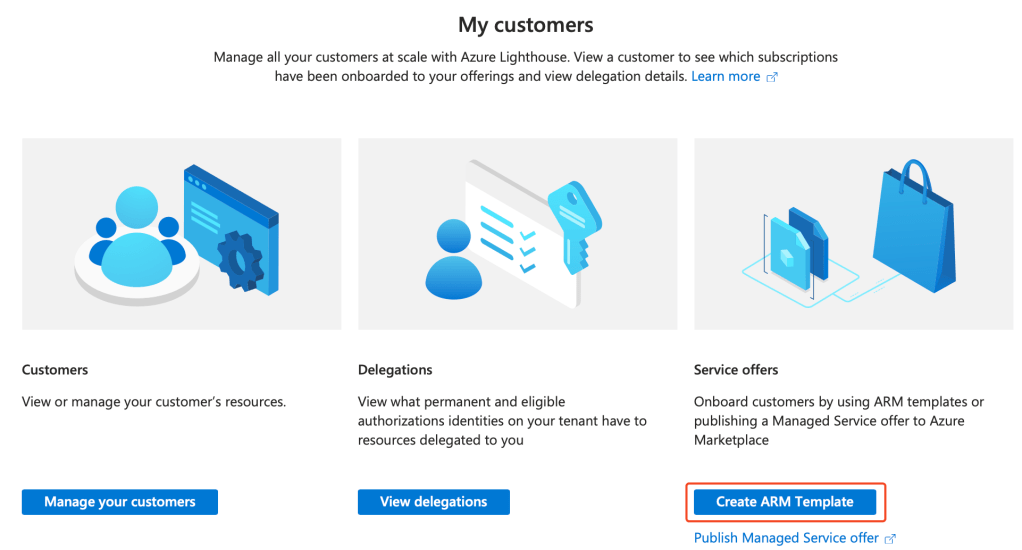
Select ‘Manage your customers’:
Followed by ‘Create ARM Template’:
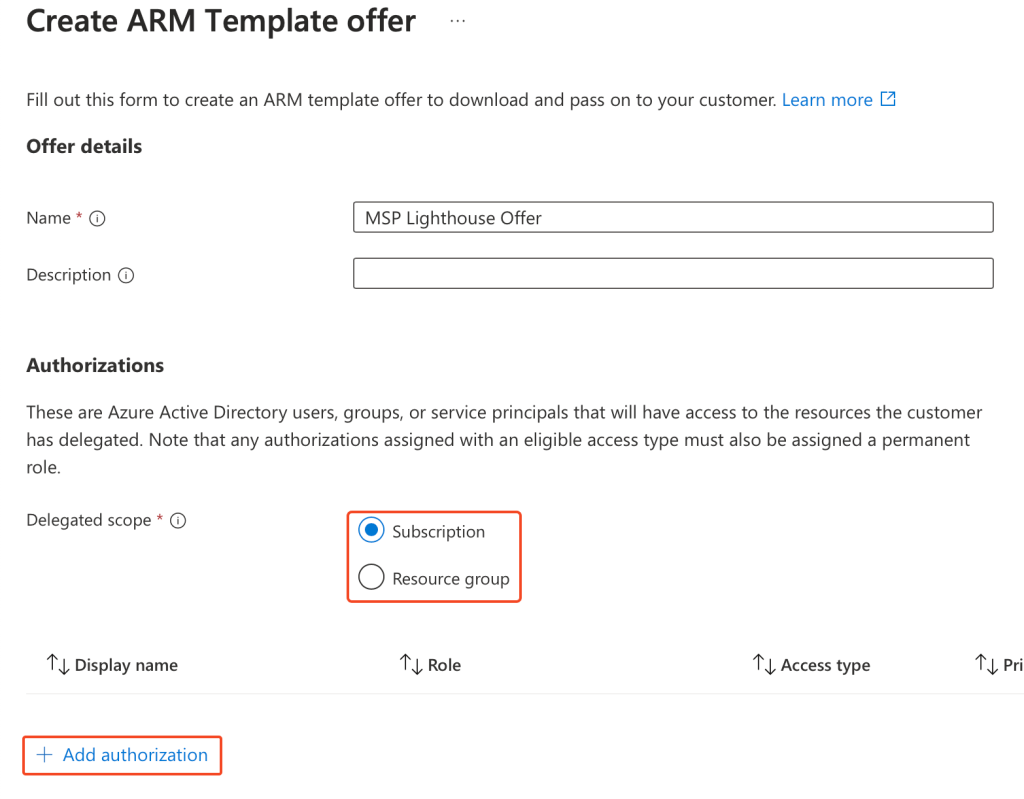
Now, you must:
- Enter a name for your offer that you will provide to your customer.
- Select a scope for the offer, whether that be at the Subscription or Resource Group level.
Once you have entered the above, click ‘Add authorisation’.
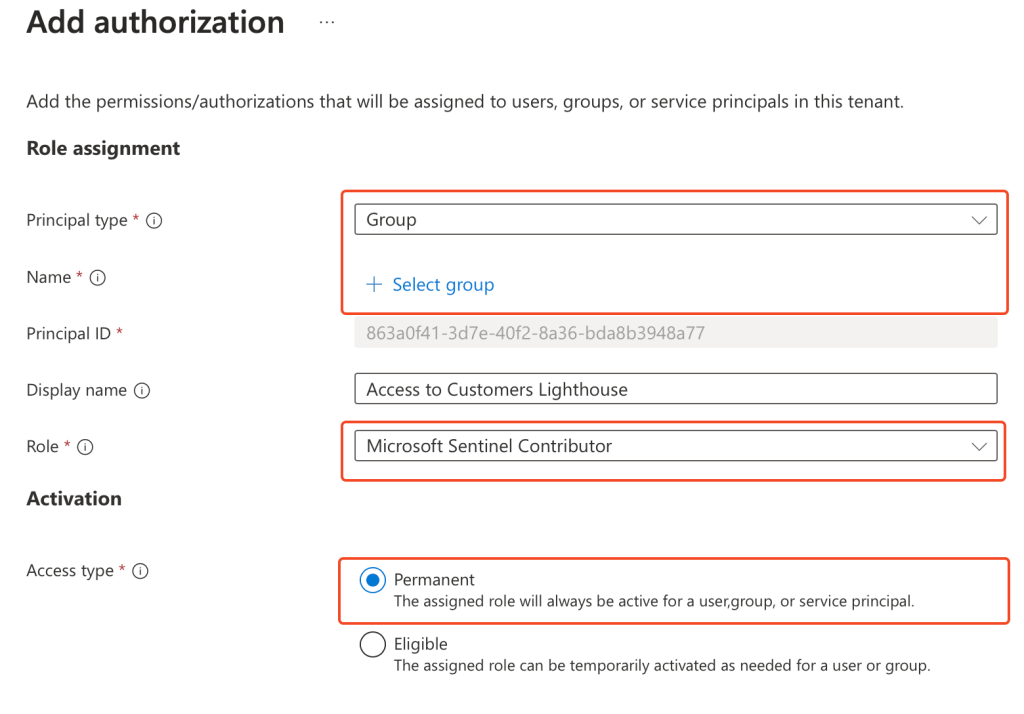
Now you set the permissions that you require in your customers tenant, we will be utilising Microsoft Sentinel Contributor as per our objective.
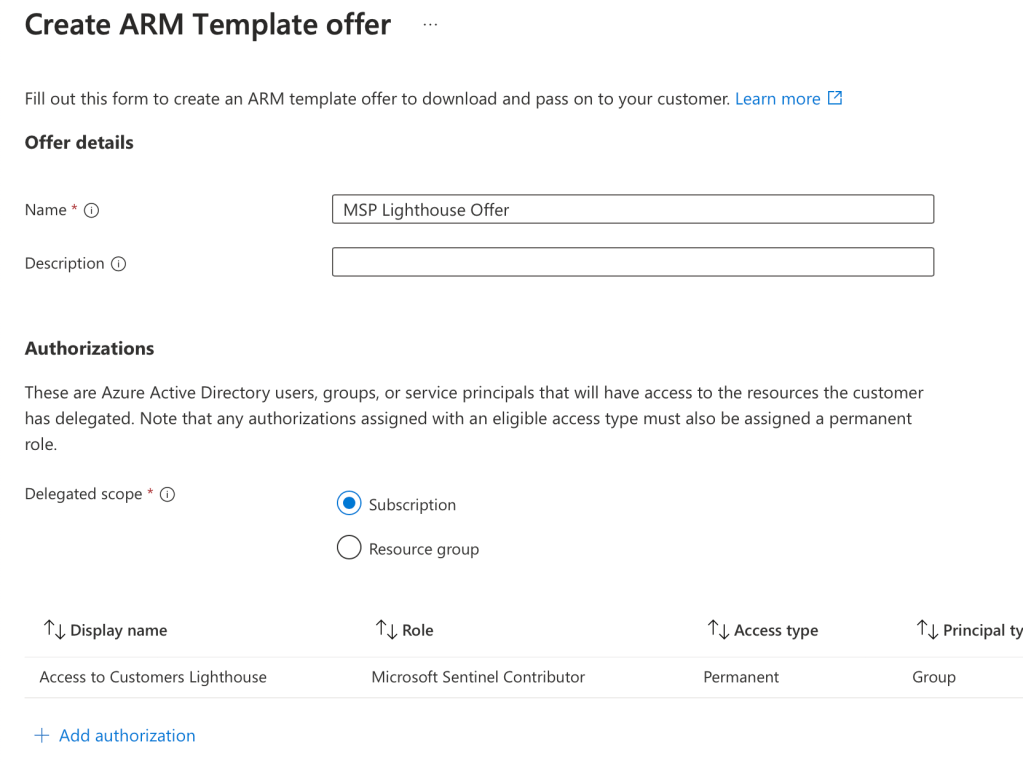
You will then be presented with your offer, with the authorisation. Click ‘View template’:
Now hit ‘Download’:
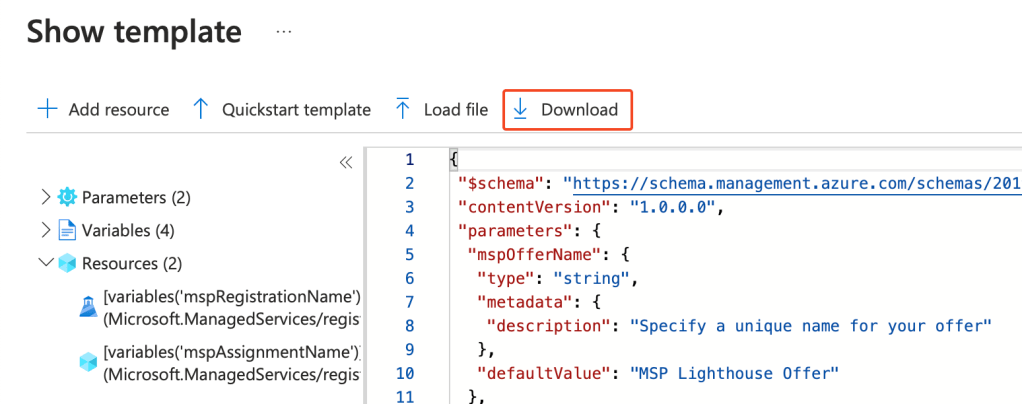
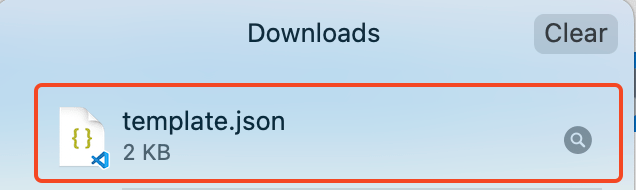
This will then download the .json template for the offer. Provide this to your customer.
Now log in within your customers or secondary tenant, and load ‘Azure Lighthouse’:
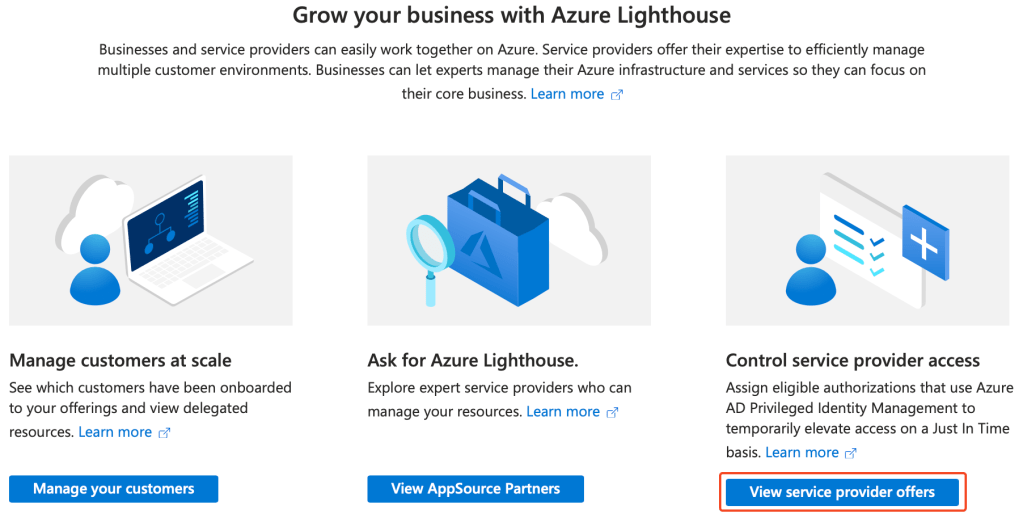
Click ‘View service provider offers’:
Click into ‘Service provider offers’ and then hit ‘Add via template’:

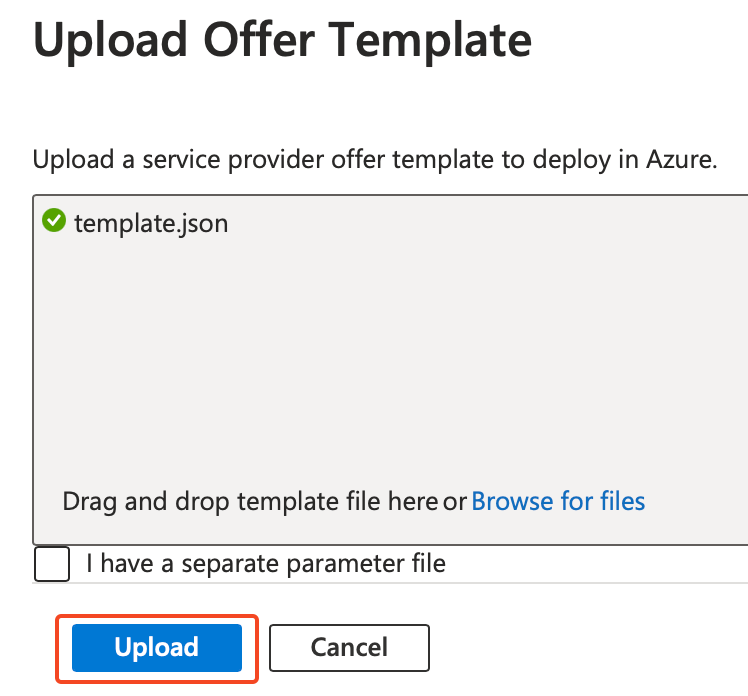
Upload the template.json we created in our MSP tenant, and then hit ‘Upload’:
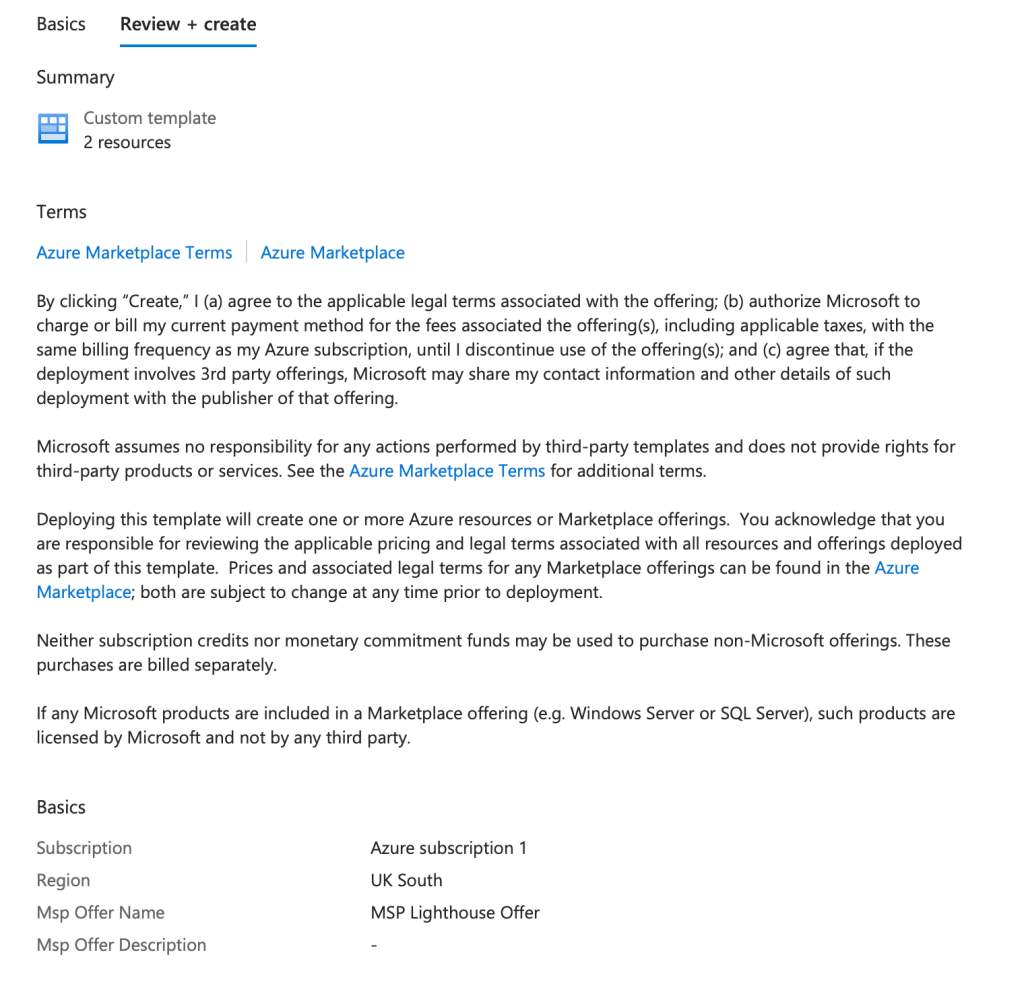
You are then presented with the details of the offer, select the Subscription you would like this to apply to, and then hit ‘Next’:

Followed by ‘Review and create’:
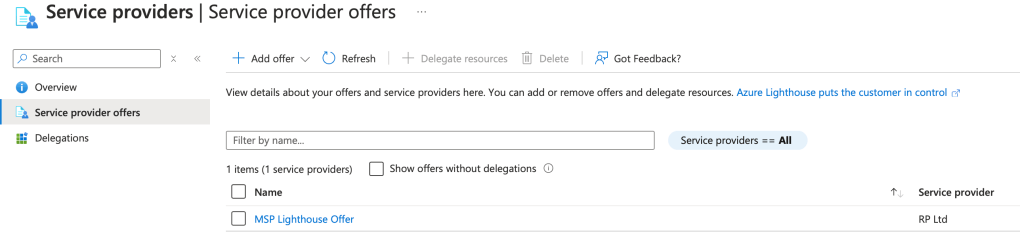
You can check this was succesful by loading ‘Service provider offers’ and you shall see the MSP or primary tenant offer.
Now let’s revert back to our primary or MSP tenant, hit the settings cog in the top right:

Within ‘Directories + Subscriptions’, drop down the directories and include the customers tenant:
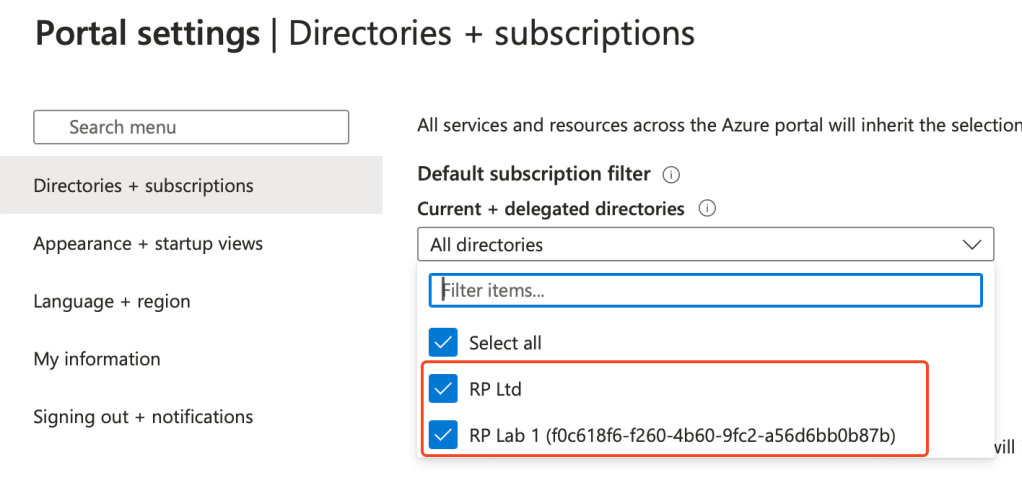
Then drop down ‘Subscription’ and select the delegated Subscription of the customers tenant:
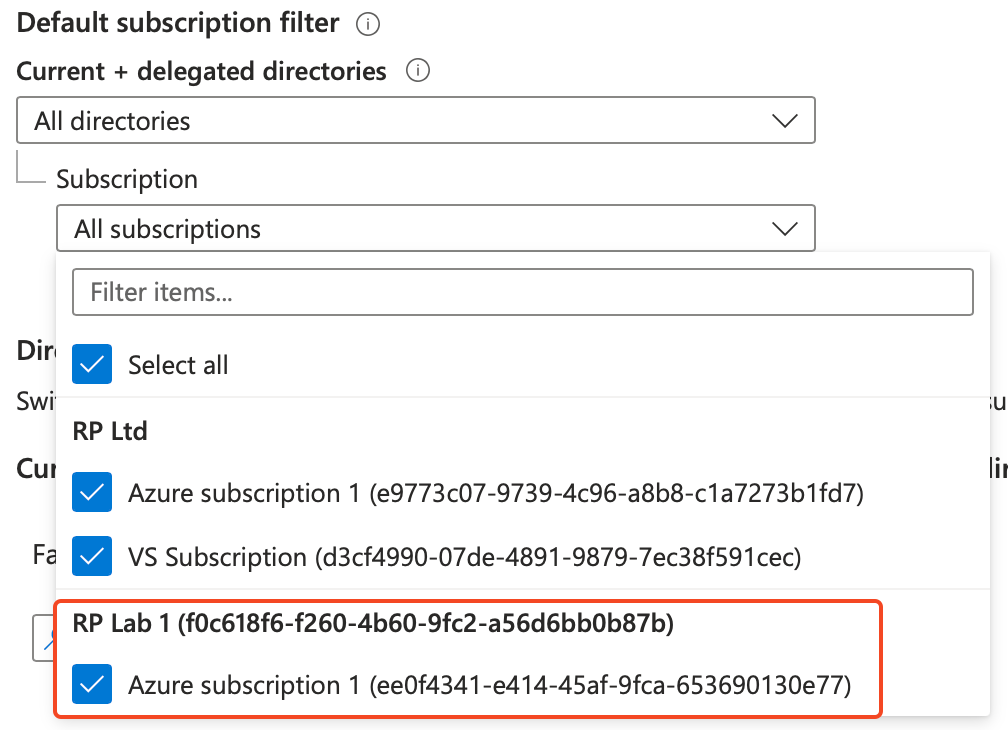
Now when you load Microsoft Sentinel, you will be presented with:
- Visibility of the Sentinel workspaces from the customers tenant, as seen by the directory on the right-hand side.
Now follow these steps to view the incident queues of both Sentinel workspaces:
- Check both boxes of the Sentinel workspaces on the left-hand side.
- Then hit ‘View incidents’.

You will then be presented with the joint incident queue, where I have an incident in both of the Sentinel workspaces:

This also the post ‘Microsoft Sentinel: Azure Lighthouse’. Thank you for taking the time to read through this post. I hope it has been an informative and enriching experience as you explore the capabilities of Azure and Microsoft Sentinel.
Resources and Next Steps with Microsoft Sentinel
To get started or advance your journey with Microsoft Sentinel, Microsoft’s official documentation is an invaluable resource.
It offers detailed guides and best practices that cater to both beginners and seasoned professionals.
The community forums are also a treasure trove of insights, where you can engage with other users, share experiences, and find solutions to common challenges.
Whether you’re looking to implement Sentinel for the first time or aiming to optimise your current setup, these resources can guide you towards a more secure and resilient cyber security posture, I will place links to the sources below.
Azure Lighthouse Documentation: Azure Lighthouse | Microsoft Learn
Microsoft Sentinel Documentation: Microsoft Sentinel documentation | Microsoft Learn
Microsoft Sentinel Community Hub: Microsoft Sentinel – Microsoft Community Hub
Microsoft Sentinel Blog: Microsoft Sentinel Blog – Microsoft Community Hub
I’m eager to hear your thoughts on the blog post and would greatly value your feedback. Feel free to connect with me on LinkedIn or drop me an email – you’ll find the links to both at the top and bottom of this page 🙂
Interested in staying updated with my latest releases? Don’t miss my future blog posts. Subscribe by entering your email in the box below, and stay tuned for every new update!
Thank you for spending a part of your day here. I hope you find your journey into Microsoft Sentinel as rewarding as I have.
Stay Sentinel,
Ryan


 RYAN PERRIN
Leave a comment