Microsoft Defender XDR represents a suite of security solutions designed to provide holistic protection to organisations. This suite covers a range of products tailored to secure different aspects of your IT infrastructure, from endpoints and email systems to identity management and cloud infrastructures.
Let’s take a closer look at the components of Microsoft Defender XDR and understand how they collaborate to protect your business.
Defender for Endpoint
Defender for Endpoint is an advanced security platform for enterprises, designed to address and manage threats across various endpoints like laptops, phones, and PCs. It integrates directly with Windows and utilises a combination of endpoint behavioural sensors, cloud security analytics, and threat intelligence to offer comprehensive protection and response capabilities.
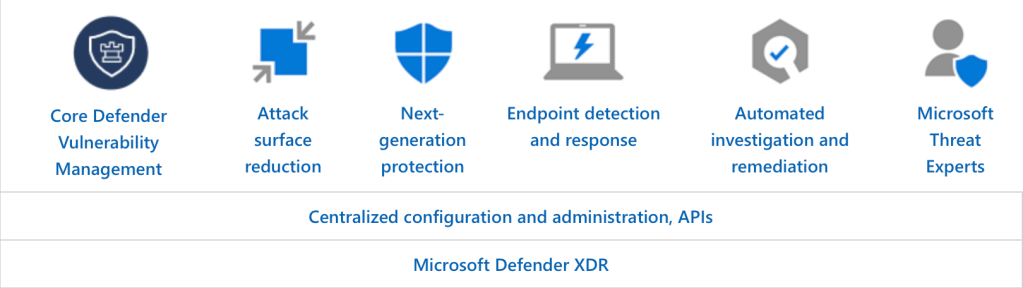
The platform is available in two plans, with an additional Defender Vulnerability Management add-on for enhanced security posture assessment and risk management. Defender for Endpoint also features attack surface reduction, next-generation protection, endpoint detection and response, automated investigation and remediation, and integrates with various Microsoft solutions for a unified security approach.
For more info on Defender for Endpoint, visit the Microsoft Learn page on Defender for Endpoint.
Defender for Office 365
Defender for Office 365 protects organisations against malicious threats posed by email messages, links (URLs), and collaboration tools. It’s engineered to combat phishing attacks, malware, and other threats that can infiltrate through emails, documents, and collaboration tools.
It integrates tightly with Office 365 applications, employing a mix of material and behavioural analysis, threat intelligence, and protection features such as Safe Links, Safe Attachments, and anti-phishing capabilities. By analysing patterns and employing machine learning, Defender for Office 365 blocks harmful content before it can cause damage.
The service offers two plans to cater to different security needs, along with features for threat protection, investigation, and response. It enhances security across email, documents, and collaboration tools, working alongside other Microsoft security services for a comprehensive defence strategy.
For more insights on Defender for Office 365, you can explore the Microsoft Learn page on Defender for Office 365.
Defender for Identity
Microsoft Defender for Identity focuses on securing user identities and credentials, which are often the primary targets of attackers. This component utilises your on-premises Active Directory signals to identify, detect, and investigate advanced threats, compromised identities, and malicious insider actions targeted at your organisation. It offers a layer of protection that helps ensure that only authorised users can access critical assets, thereby mitigating the risk of identity theft and related breaches.
This cloud-based solution, integrated with Defender XDR, enhances threat detection and response across both on-premises and cloud environments. It provides comprehensive identity security assessments, real-time threat detection, and actionable investigation insights, aiming to proactively prevent breaches and protect against identity theft. Evolving from Azure ATP, Defender for Identity offers advanced insights, security best practices, and detailed analytics to mitigate risks and strengthen organisational security posture.
For more insights, you can explore the Microsoft Learn page on Defender for Identity
Defender for Cloud Apps
Microsoft Defender for Cloud Apps provides SaaS application protection, featuring:
- Core CASB capabilities for Shadow IT, app usage visibility, and cloud threat protection.
- SaaS Security Posture Management (SSPM) for enhanced security posture.
- Advanced threat protection as part of Microsoft’s XDR for in-depth attack analysis.
- App-to-app protection for OAuth-enabled apps accessing critical data.
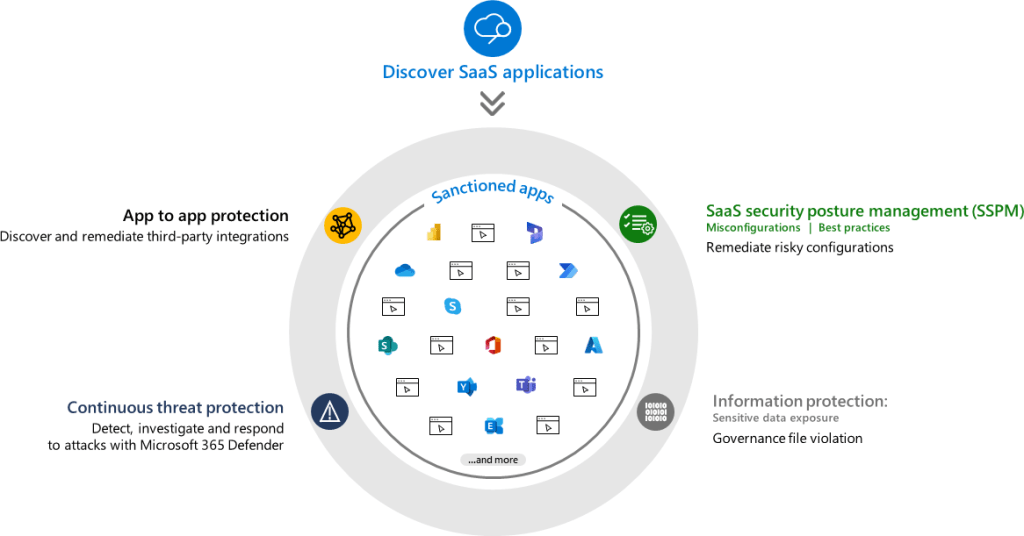
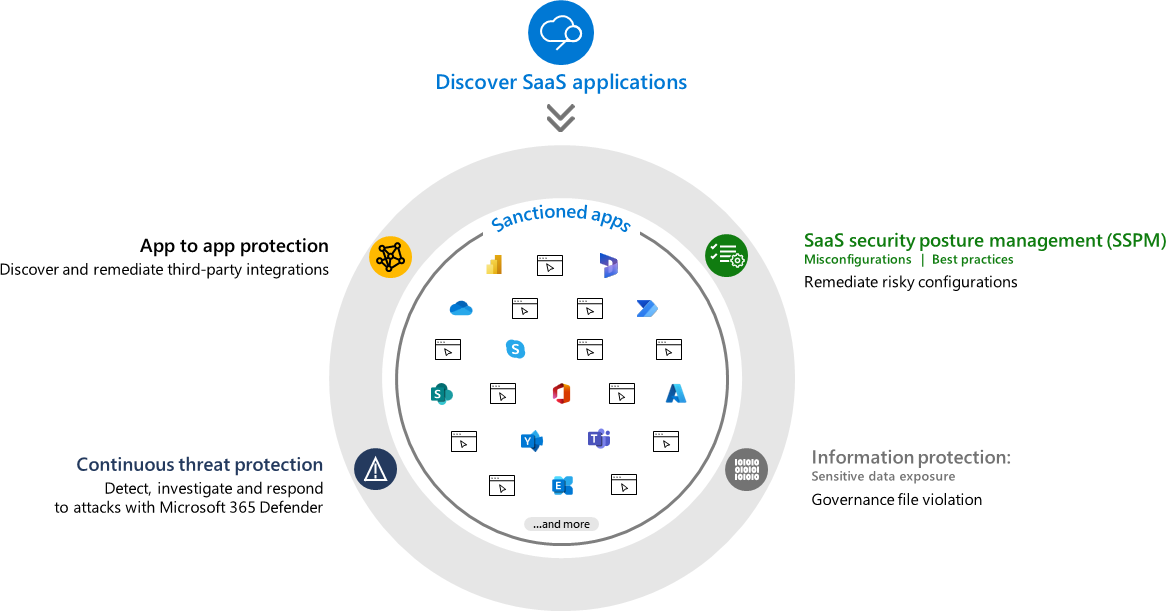
Microsoft Defender for Cloud Apps integrates across various platforms, employing advanced analytics, sophisticated detection algorithms, and threat intelligence to protect against cyber threats. The service offers extensive visibility, control over data travel, and sophisticated analytics to identify and combat cyber threats across all your cloud services.
Defender for Cloud Apps is designed to enhance your cloud security posture, providing tools for investigation, threat detection, and seamless integration with other Microsoft security solutions for a cohesive security strategy.
For more information on Defender for Cloud Apps, you can visit the Microsoft Learn page on Defender for Cloud Apps.
Unified Security Approach
The integration and interoperability among these components are what make the Microsoft Defender XDR platform stand out. Together, they offer a unified security solution, by sharing signals, intelligence, and insights across endpoints, email systems, identities, and cloud services, Microsoft Defender provides an interconnected defence mechanism that is greater than the sum of its parts.
Microsoft Defender XDR – a market leader.
Microsoft Defender XDR has been highlighted for its exceptional performance in independent industry tests, showcasing its enterprise threat protection capabilities. The suite integrates various security services, including endpoint, identity, email, and application security, offering defence against sophisticated attacks.
Defender XDR has demonstrated nearly 100% effectiveness in real-world attack simulations and received top scores in antivirus tests. The achievements underline Microsoft’s commitment to advanced threat detection and response.
For more information on industry scoring for Defender XDR, check out the full article on Microsoft Learn: https://learn.microsoft.com/en-us/microsoft-365/security/defender/top-scoring-industry-tests?view=o365-worldwide
Resources and Next Steps with Microsoft Defender
To get started or advance your journey with Microsoft Defender XDR, Microsoft’s official documentation is an invaluable resource.
It offers detailed guides and best practices that cater to both beginners and seasoned professionals.
The community forums are also a treasure trove of insights, where you can engage with other users, share experiences, and find solutions to common challenges.
Whether you’re looking to implement Defender XDR for the first time or aiming to optimise your current setup, these resources can guide you towards a more secure and resilient cyber security posture, I will place links to the sources below.
Microsoft Defender XDR Documentation: Microsoft Defender XDR documentation | Microsoft Learn
Microsoft Defender XDR Community Hub: Microsoft Defender XDR – Microsoft Community Hub
Microsoft Sentinel Blog: Microsoft Defender XDR Blog – Microsoft Community Hub
I’m eager to hear your thoughts on the blog post and would greatly value your feedback. Feel free to connect with me on LinkedIn or drop me an email – you’ll find the links to both at the top and bottom of this page 🙂
Interested in staying updated with my latest releases? Don’t miss my future blog posts. Subscribe by entering your email in the box below, and stay tuned for every new update!
Thank you for spending a part of your day here. I hope you find your journey into Microsoft Defender XDR as rewarding as I have.
Empowering vigilance, securing tomorrow,
Ryan


Leave a comment